Stories for websiteInstagram-style stories right on your pages
A stories widget with photo and video circles: new arrivals, deals, your team and reviews. Visitors get engaged, start to trust you and reach out.Set up in 5 minutes, no developer needed.
Stories builder: try it yourself
Tap a circle to open a story
Placement
Five ways to place stories on your website
- 1
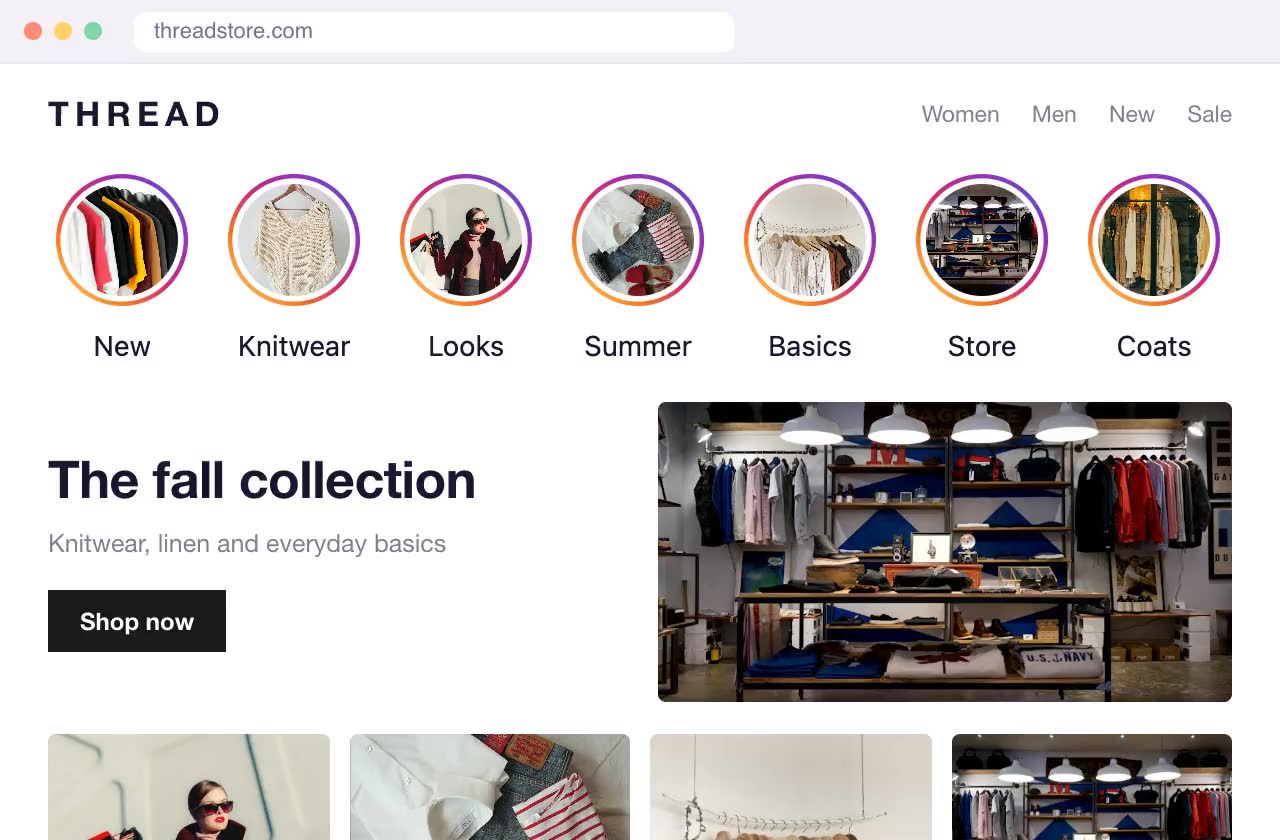
As a block on the page
A row of circles anywhere on the page, for example under the header or above your product grid.
- 2

Floating in a corner
A capsule with three circles over your site in the bottom left or right corner that expands into the full list on hover or tap. Visible on every page.
- 3
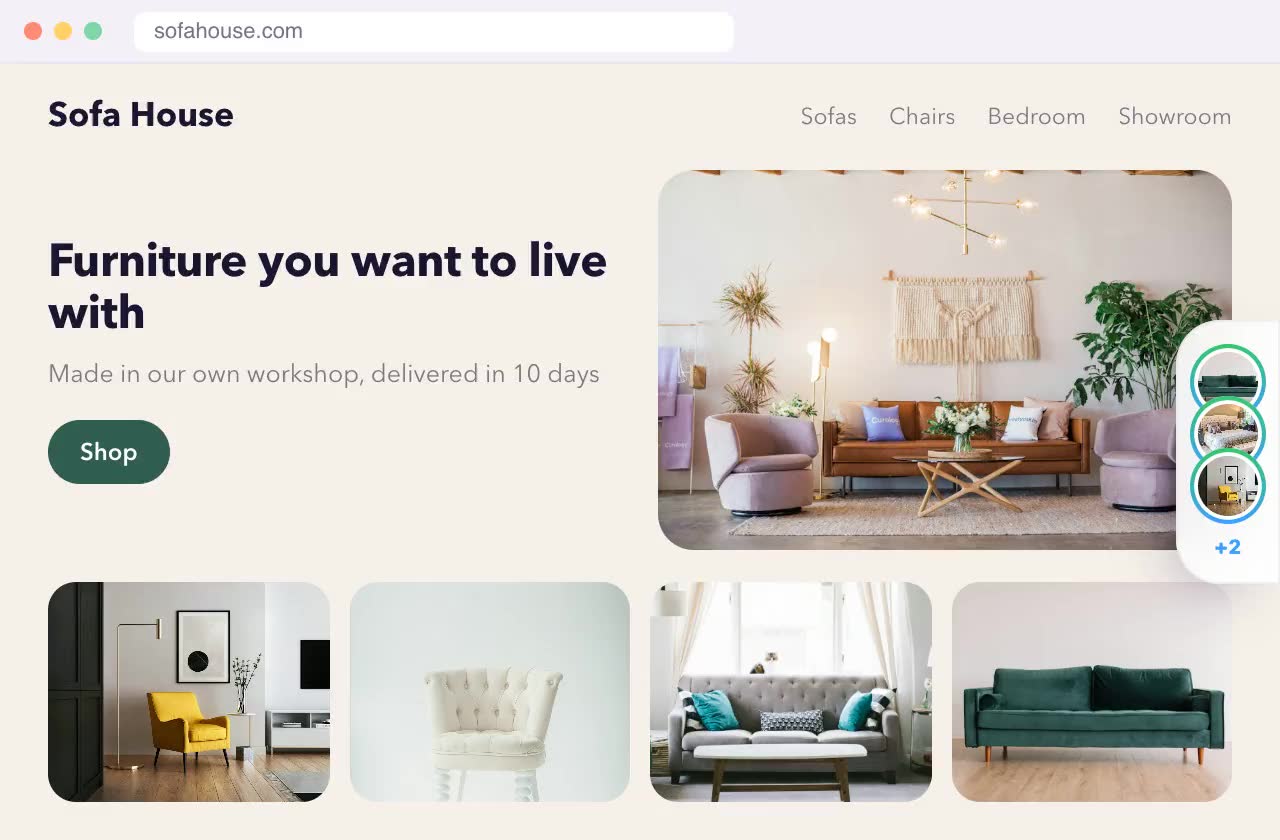
As a side tab
A stack of covers at the edge of the screen that slides out on hover or tap. Doesn't cover your content.
- 4
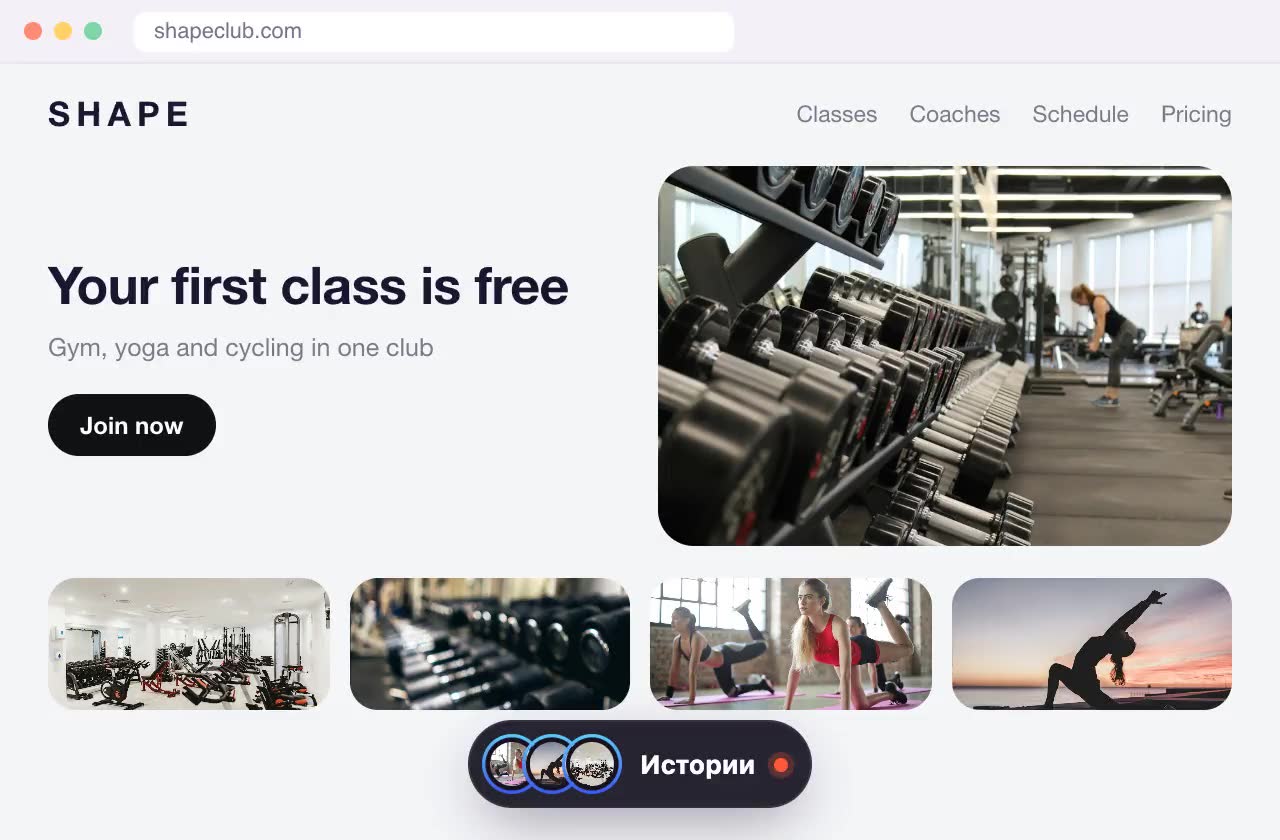
As an island at the bottom
A dark pill at the bottom center of the screen with a stack of covers. Tap it to expand into a row of circles; it hides while you scroll down.
- 5
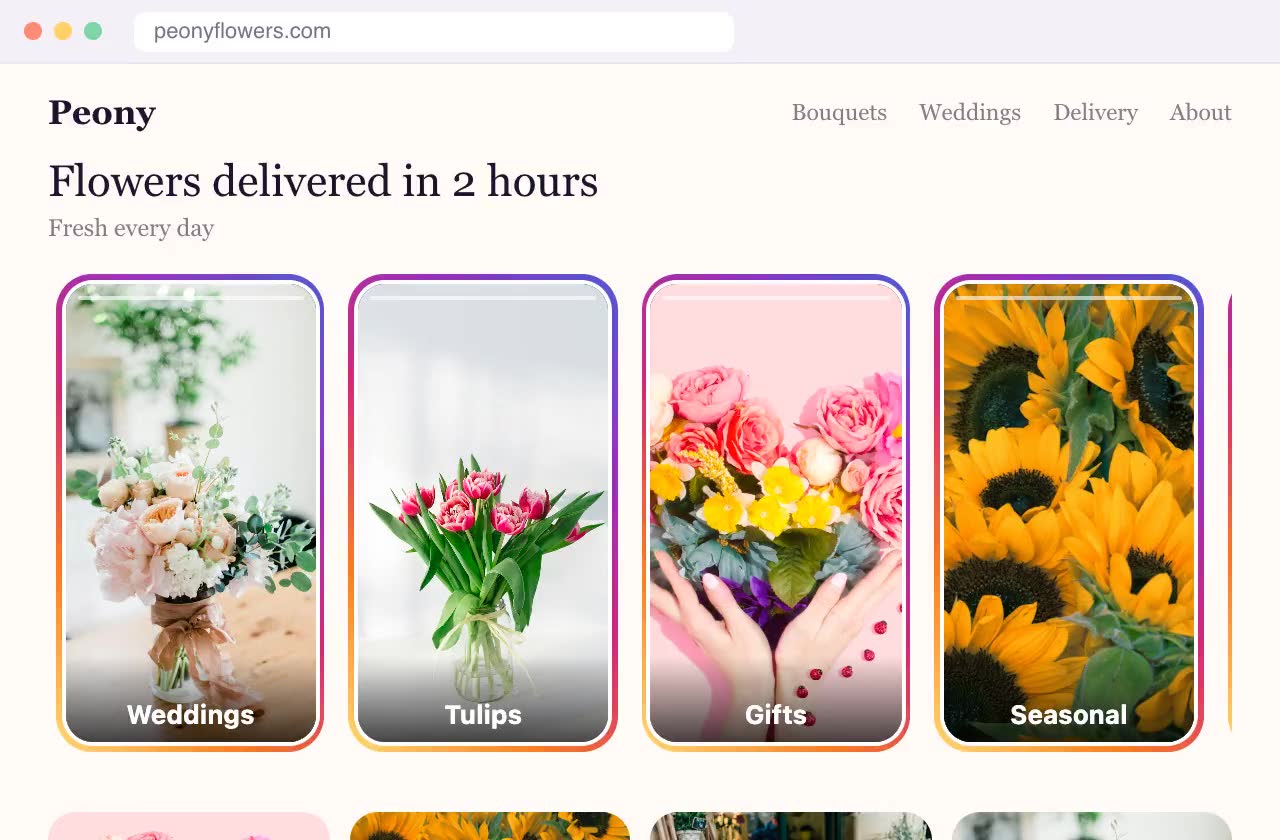
As cards on the page
Vertical 9:16 cards instead of circles, showing the first slide or a muted video and a headline. They look like part of your site design.
Why it matters
Not just trust and direct sales, but search rankings too
Drives engagement
Ringed circles invite a tap, and slides make people want to watch to the end. Visitors don't just scroll past: they watch, tap the buttons on slides and move on to your catalog, a deal or a chat.
Boosts engagement signals for SEO
While people watch stories, they stay on your site. Time on site and pages per visit go up, and search engines take these user engagement signals into account. That helps your site rank in search.
Features
Your site stops being a static brochure
Stories show a living business: people, process, fresh arrivals. Everyone knows the format from Instagram, so there's nothing to explain: tap a circle and watch.




Photos and videos
Upload photos up to 10 MB and videos up to 50 MB (MP4, WebM, MOV). Each story can have several slides.
Text and a button on the slide
A headline and caption over the photo, plus a button that leads to a product or catalog, opens a chat or calls you.
Full-screen viewer
Slides advance automatically and on tap, just like on social media. Works great on phones and desktops.
Matches your style
Set the ring color, circle size and titles under the circles in the editor.
Up to 30 stories
Organize content by topic: “New”, “Deals”, “Reviews”, “Team”.
Only where you want
Show stories on every page or only on selected ones, on phones, desktops or both.
Examples
Who it's for
Cafés and restaurants
New menu items, dish of the day, your baristas and chefs, the vibe of the place.
Online stores
New arrivals, looks and collections, unboxings and product reviews.
Salons and studios
Your team's work, before and after, open booking slots.
Service businesses
How you work, customer reviews, answers to common questions.
Quick start
Live in 5 minutes, no developer needed
- 1
Build a widget
Pick a type, upload photos, write the text. The live preview shows exactly how it will look on your site.
- 2
Paste one line of code
Just once: every widget you add later appears on your site automatically. Works with Shopify, WordPress, Wix and any website.
- 3
Get leads
Leads arrive in your inbox and dashboard. Update offers and stories yourself, anytime.
Pricing
Free for 3 months, everything included
All widgets are free for 3 months with a small “Made with Swoopkit” badge, no credit card required. After that, the paid plan: widgets without the badge.
- All three widgets: stories, banners, contact button
- Unlimited views
- Leads by email and in your dashboard
- “Made with Swoopkit” badge
- All three widgets: stories, banners, contact button
- Unlimited views
- Leads by email and in your dashboard
- No “Made with Swoopkit” badge
- All three widgets: stories, banners, contact button
- Unlimited views
- Leads by email and in your dashboard
- No “Made with Swoopkit” badge
Start for free. Payment for the paid plan is coming soon to your dashboard.
FAQ
Questions about stories for websites
How do I add stories to my website?
Sign up for Swoopkit, create a Stories widget, upload photos or videos and choose a placement. Then paste one line of code from your dashboard into your site, once. After that you update stories in the dashboard without touching your site.
Is there an online stories builder for websites?
Yes, Swoopkit is an online stories builder: you set the placement, ring style, circle size and titles in the editor and see the result instantly. You can try it right on this page, at the top, no sign-up needed.
Can I add stories to Shopify, WordPress or Wix?
Yes. The code goes into your site settings or an HTML/custom code block on Shopify, WordPress, Wix, Squarespace, Webflow and any website where you can add a snippet.
Can I upload videos to stories?
Yes: MP4, WebM and MOV videos up to 50 MB. Photos: JPG, PNG, WebP and GIF up to 10 MB.
Can I add a link to a story?
Yes. Each slide can have a button with your own text. It can open a product or promo page, start a chat in WhatsApp, Messenger, Instagram or Telegram, call you or send an email.
Is this the same as Google Web Stories?
No. Google Web Stories are separate full-screen pages for search results. Our stories widget puts Instagram-style circles right on your existing pages, so visitors watch them without leaving your site.
Do stories help my website's SEO?
Indirectly, yes. Stories engage visitors: they watch slides, tap buttons and stay on your site longer. Time on site and pages per visit are user engagement signals that search engines take into account. The widget itself loads asynchronously and doesn't slow your pages down.
How much does it cost?
The first 3 months are free, no credit card required. After that, $7 a month or $15 for 3 months, and the plan includes all widgets: stories, pop-up banner and contact button.
Other website widgets
All widgets are included: use them together, they don't get in each other's way.