Stories for Wix Instagram-style stories on your Wix website
Story circles with photos and videos appear on your Wix site with one line of code in Custom Code. Update stories any time without republishing your site.Set up in 5 minutes, no developer needed.
Stories builder: try it yourself
Tap a circle to open a story
Placement
Five ways to show stories on Wix
- 1
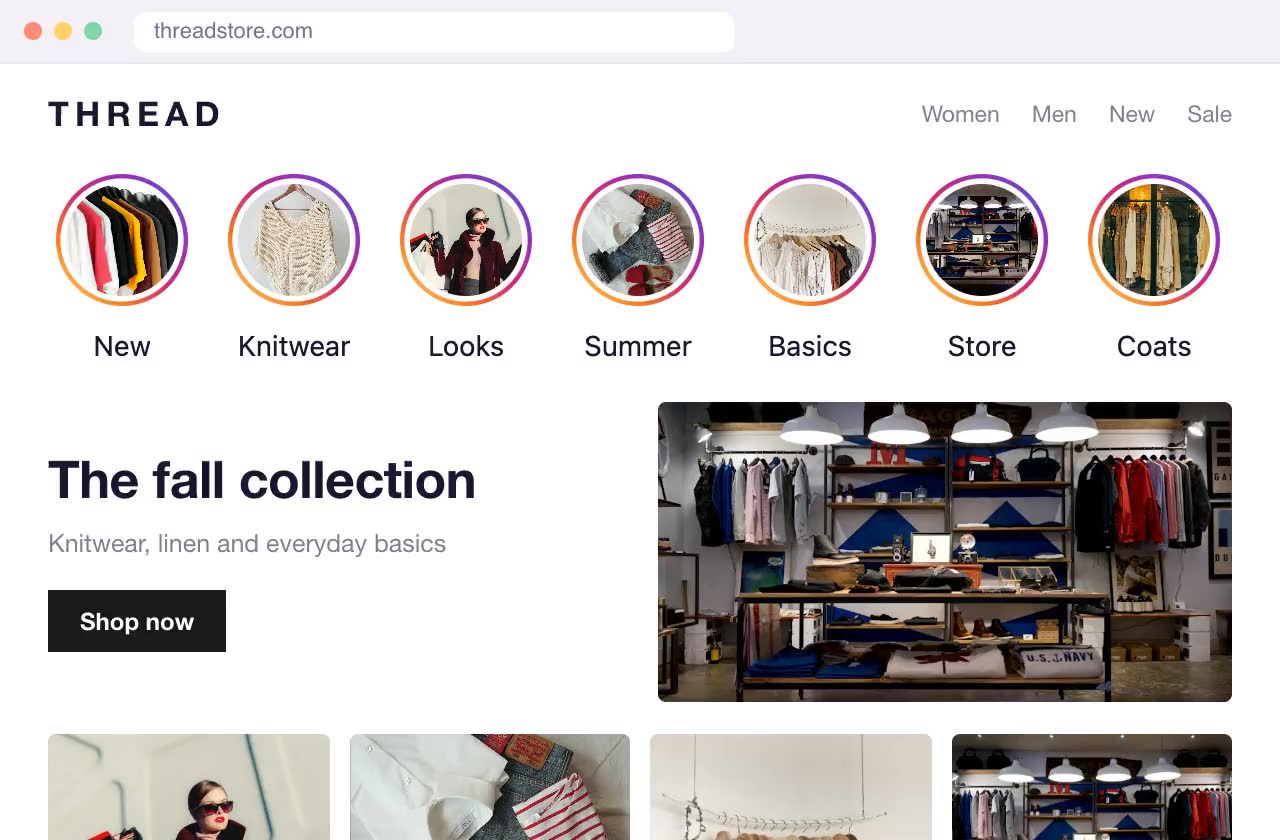
As a block on the page
A row of circles anywhere on the page, for example under the header or above your product grid.
- 2

Floating in a corner
A capsule with three circles over your site in the bottom left or right corner that expands into the full list on hover or tap. Visible on every page.
- 3
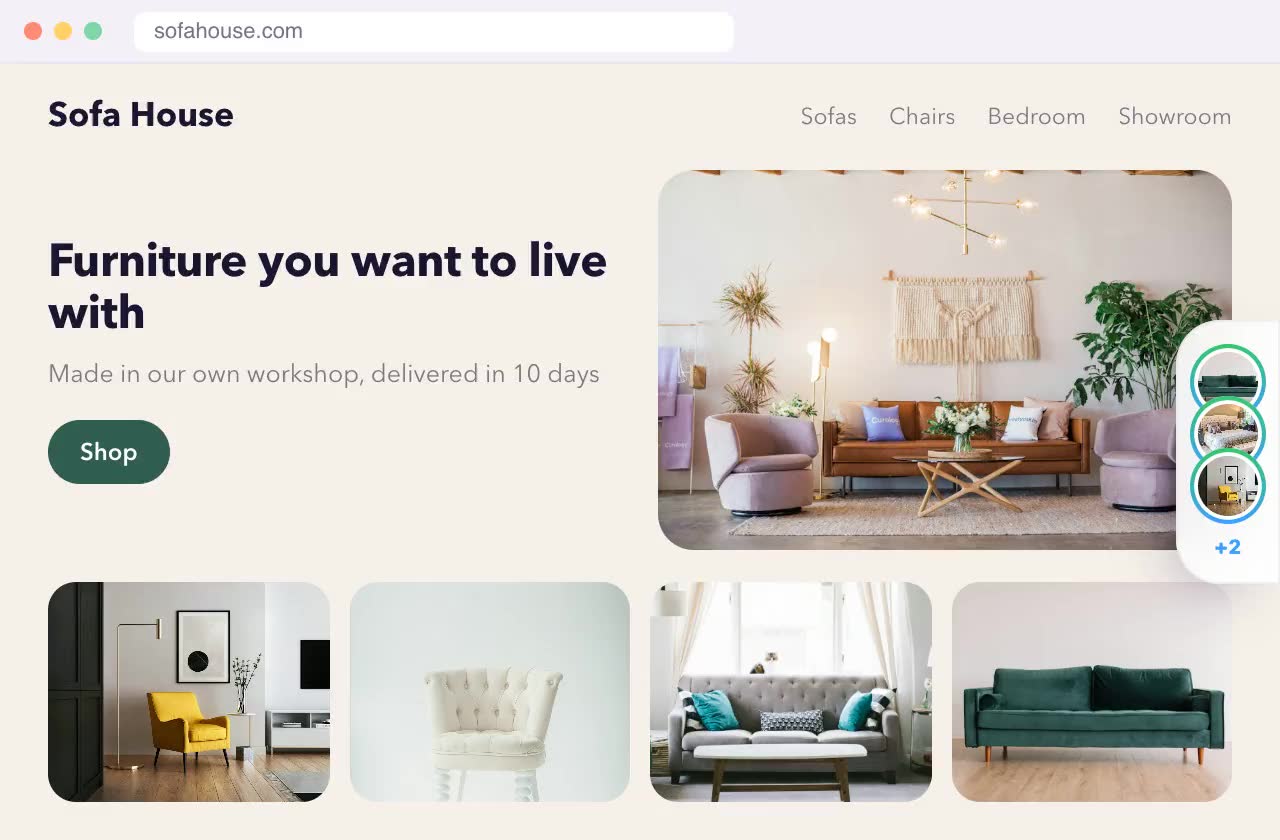
As a side tab
A stack of covers at the edge of the screen that slides out on hover or tap. Doesn't cover your content.
- 4
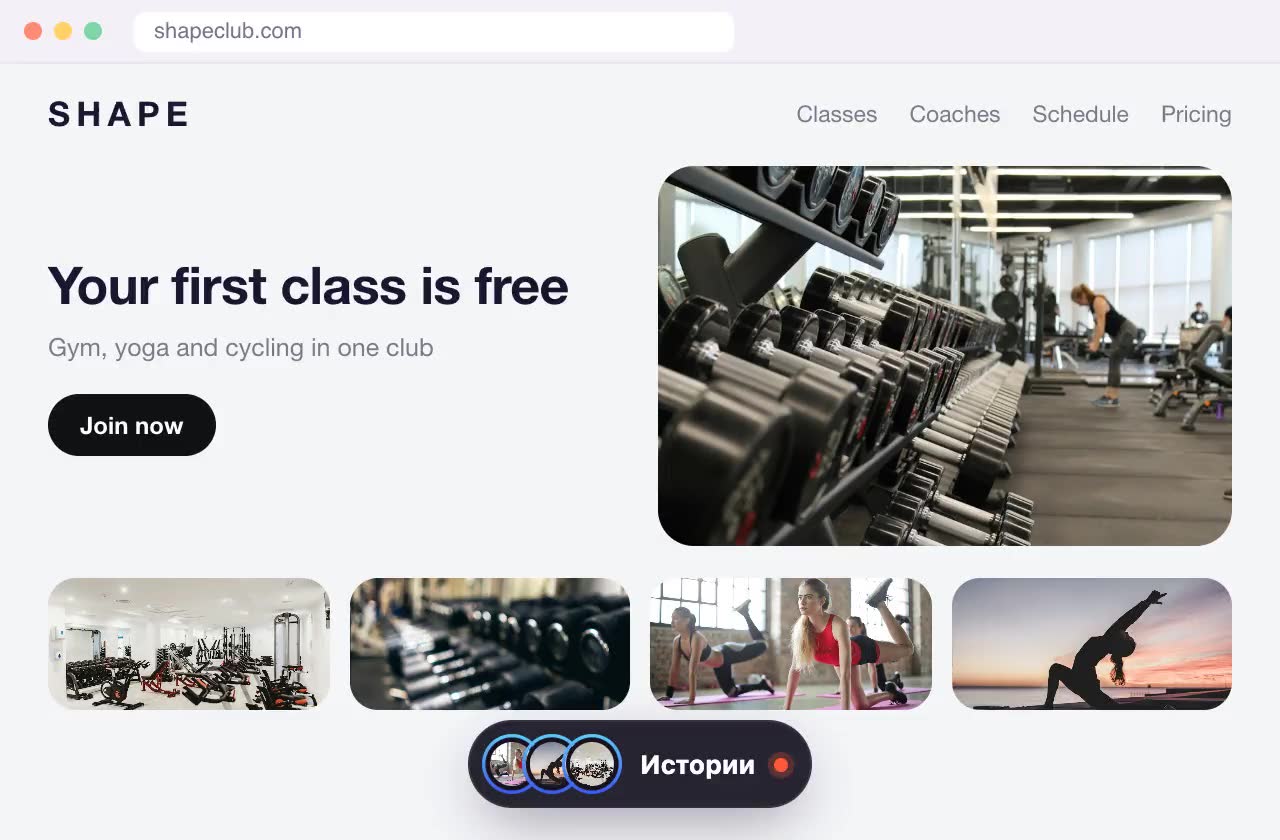
As an island at the bottom
A dark pill at the bottom center of the screen with a stack of covers. Tap it to expand into a row of circles; it hides while you scroll down.
- 5
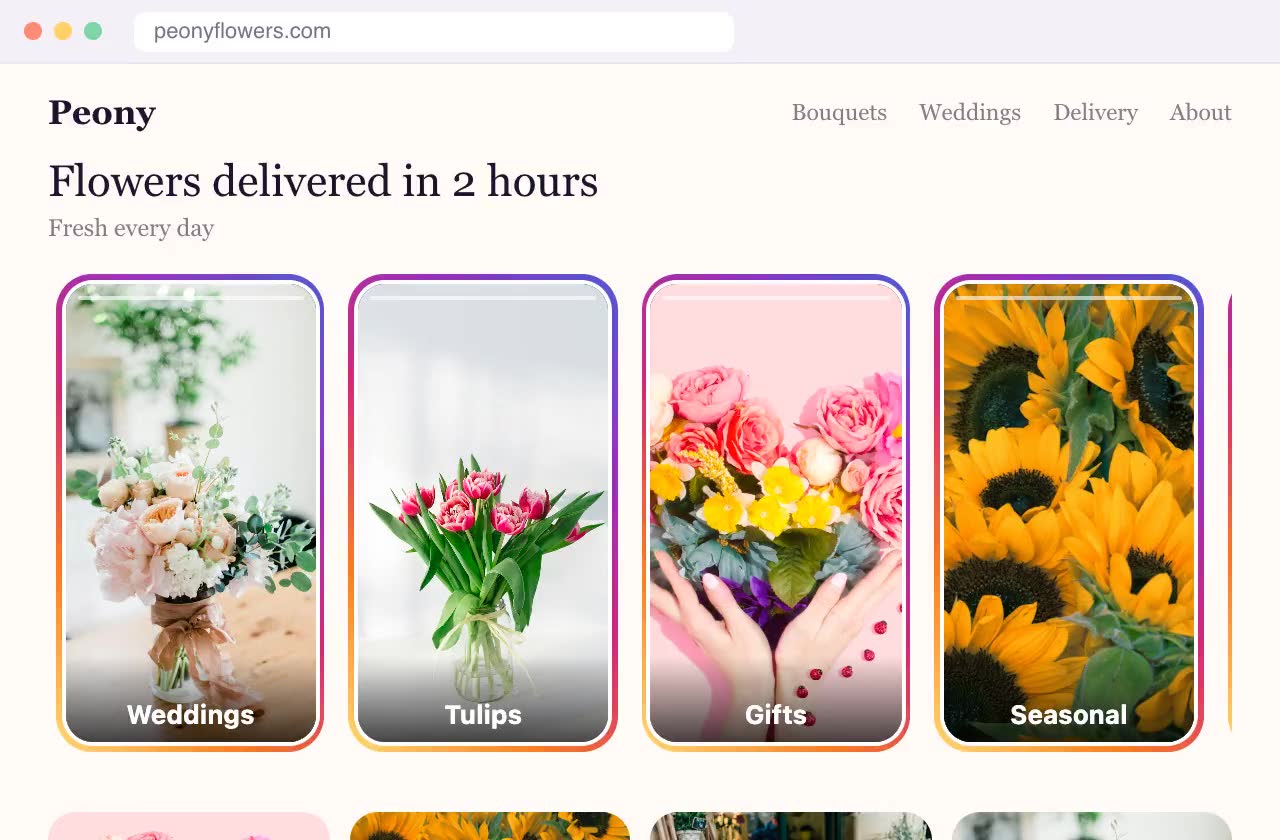
As cards on the page
Vertical 9:16 cards instead of circles, showing the first slide or a muted video and a headline. They look like part of your site design.
Why it matters
Not just trust and direct sales, but search rankings too
Drives engagement
Ringed circles invite a tap, and slides make people want to watch to the end. Visitors don't just scroll past: they watch, tap the buttons on slides and move on to your catalog, a deal or a chat.
Boosts engagement signals for SEO
While people watch stories, they stay on your site. Time on site and pages per visit go up, and search engines take these user engagement signals into account. That helps your site rank in search.
Features
Made for Wix sites
On Wix, stories work best as corner circles, a side tab or an island: they float above your design on every page and need no layout changes.




Photos and videos
Photos up to 10 MB and videos up to 50 MB (MP4, WebM, MOV). One story can have several slides.
A button on every slide
Link a slide to a product, a collection, a booking page or a chat, so stories on your Wix site lead to action.
Just like Instagram
Full-screen viewer, auto-advancing slides, tap and swipe. Feels native on phones and desktops.
Matches your design
Ring color, circle size and captions are set in the editor, no theme edits needed.
Update without touching Wix
New stories go live a minute after you publish them in Swoopkit. No theme edits, no republishing on Wix.
AI builds them for you
Enter your website address and AI builds 25 stories from your own pages and photos in about a minute.
Guide
How to add stories to Wix
The code is added once in your site settings and loads on every page. Custom code works on a published site with a connected domain, which needs a Wix Premium plan.
- 1
Create stories in Swoopkit
Sign up, create a Stories widget, upload photos or videos and choose a placement: inline on the page, floating in a corner, a side tab or an island. Click Publish.
- 2
Copy your site code
In your Swoopkit dashboard, copy the line of code with your site key. It's the same line for all widgets.
<script src="https://swoopkit.app/loader.js" data-site="YOUR_SITE_KEY" async></script> - 3
Open Custom Code
In your site dashboard, go to Settings → Custom Code (in Development & integrations) and click + Add Custom Code.
- 4
Paste the code
Paste the line and name it Swoopkit. Under Add Code to Pages choose All pages and Load code once.
- 5
Place it in Body – end
Under Place Code in choose Body – end and click Apply.
Wix shows an Embed HTML element in a separate frame, so stories placed “on the page” would be squeezed inside it. On Wix, use corner circles or the edge tab: they only need the code above.
Full Wix guide and other platforms →Examples
Who it's for
Restaurants and cafes
Dish of the day, new menu items, your team and atmosphere.
Salons and studios
Your work, before and after, open booking slots.
Photographers and creatives
Fresh shoots, behind the scenes, packages and prices.
Small online stores
New arrivals, promos and shipping info.
Quick start
Live in 5 minutes, no developer needed
- 1
Build a widget
Pick a type, upload photos, write the text. The live preview shows exactly how it will look on your site.
- 2
Paste one line of code
Just once: every widget you add later appears on your site automatically. Works with Shopify, WordPress, Wix and any website.
- 3
Get leads
Leads arrive in your inbox and dashboard. Update offers and stories yourself, anytime.
Pricing
Free for 3 months, everything included
All widgets are free for 3 months with a small “Made with Swoopkit” badge, no credit card required. After that, the paid plan: widgets without the badge.
- All three widgets: stories, banners, contact button
- Unlimited views
- Leads by email and in your dashboard
- “Made with Swoopkit” badge
- All three widgets: stories, banners, contact button
- Unlimited views
- Leads by email and in your dashboard
- No “Made with Swoopkit” badge
- All three widgets: stories, banners, contact button
- Unlimited views
- Leads by email and in your dashboard
- No “Made with Swoopkit” badge
Start for free. Payment for the paid plan is coming soon to your dashboard.
FAQ
Questions about stories on Wix
How do I add stories to Wix?
Create the widget in Swoopkit, copy one line of code from your dashboard and add it to Wix: open custom code, then paste the code, then place it in body – end. You do it once.
Do I need a paid Wix plan?
Custom code works on a published site with a connected domain, which needs a Wix Premium plan.
Will stories slow down my Wix site?
No. The widget loads after your page, asynchronously, and media loads only when someone opens a story.
Do I need to edit the code again when I change stories?
No. You add the code once. After that you change stories in Swoopkit and they update on your site in about a minute.
Can I show stories on one page only?
Yes. For inline stories, add the block code only to that page. For corner circles, the side tab and the island, set display rules in the editor by page address and device.
How much does it cost?
The first 3 months are free, no credit card required. After that, $7 a month or $15 for 3 months, and the plan includes all widgets: stories, pop-up banner and contact button.
Related
All widgets are included: use them together, they don't get in each other's way.
- Stories for websiteEverything about this widget
- Install on WixStep-by-step Wix setup for all widgets
- Chat button for WixVisitors reach you in the messenger they use
- Pop-ups for WixMore than a lightbox: timing, exit intent and lead forms
- Pop-up bannerA pop-up with an offer or a lead form
- Contact buttonWhatsApp, Messenger, Instagram and phone in one button